

 Deutsch
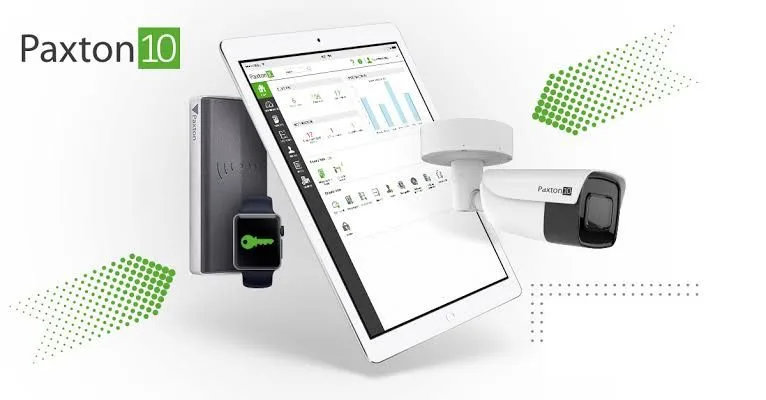
With Paxton10 v4.11 Paxton provides an important security and performance update for its access control platform. The new version updates key underlying technologies and helps further improve the system's security, reliability, and long-term maintainability.
For operators and system engineers, this update is therefore more than just an ordinary software update. Paxton10 v4.11 lays the foundation for a future-proof platform that benefits from continued supported components and improved protection against operational risks. However, some important prerequisites must be checked before installation.
Why Paxton10 v4.11 is important
Technological standards and requirements for cybersecurity are continuously evolving. Access control systems are now closely linked to networks, servers, user accounts, and digital management processes. This also increases the requirements for the underlying software and its resilience.
With Version 4.11, Paxton aims to adapt the platform to current technological requirements. By updating important system components, potential operational risks are reduced and the foundation for continued development is created.
For companies, this means better long-term planning of their access control. Modern systems must not only reliably control doors, but also be securely managed, maintained, and integrated into existing IT infrastructures. Paxton10 v4.11 supports this requirement through an updated technical foundation.
Security update with a view to the future
The update is part of Paxton’s ongoing commitment to cybersecurity. It’s not just about new visible features; updates in the background are equally important, supporting the platform’s stable and secure operation.
A regularly developed system architecture also facilitates long-term maintenance. Operators can therefore benefit from a platform that builds on supported components and is better prepared for future requirements. For the planning of a professional Security technology The timeliness of the systems used is an important component.
Before the update: Definitely check the USB backup
Before installing Paxton10 v4.11, it is necessary to ensure that a suitable USB backup of the system is available. During the update process, Paxton10 uses the most recent USB backup to ensure the upgrade is carried out safely.
Before the update begins, the system automatically checks whether a suitable backup is available. Nevertheless, system engineers should already check in advance whether the USB backup drive of the Paxton10 server is connected and whether the backups were successfully created.
Recommendation before installation
Check the status of the existing backup before planning the update. The backup drive should be connected correctly, and the last backup must have been successfully completed. For instructions on remote checking the backup status, setting up a replacement USB drive, and preparing for Paxton10 v4.11, see the official documentation. Update guide from Paxton.
Careful preparation reduces the risk of disruptions and creates better conditions for a controlled update process. Furthermore, operators and installers should, especially for larger access control systems, plan a suitable maintenance window and take into account the effects of the update on ongoing operations.
Important restriction for older Net10 controllers
Systems with older, bound network access controllers of the series Net10 Cannot be updated directly on Paxton10 v4.11. Before upgrading, these controllers must be replaced with current single-door controllers.
This limitation should be taken into account already during the preparation of an update project. Installers and operators should first check which controllers are used in the existing Paxton10 system. Only after the inventory has been completed can it be reliably assessed whether the system can be updated immediately or whether hardware adjustments are first required.
Clarify system compatibility in advance
System compatibility testing is an important component of any professional maintenance. In addition to the Net10 controllers used, the existing server environment, the backup situation, and the current system configuration should also be documented.
By identifying necessary hardware changes early, downtime can be better planned. Furthermore, new single-door controllers can be selected to match the existing system structure and gradually integrated into the system. The GRAEF Group assists customers in planning and implementing modern Paxton access control solutions.
Paxton10 as part of modern access control
Digital access control enables the central management of doors, user rights, and security-related events. Companies can assign permissions in a structured manner, organize access in a traceable manner, and adapt their security processes to different departments and user groups.
For such a platform to function reliably in the long term, regular updates, verified backups, and compatible hardware are crucial. Paxton10 v4.11 shows that software maintenance and cybersecurity are closely linked to the practical maintenance of an access control system.
The update should therefore not be viewed in isolation. It is advisable to assess the overall system state and to check whether controllers, servers, the backup concept, and the authorization structure still meet current requirements. Planning and consulting of security systems technical and organizational aspects can be taken into account together.
Conclusion
Paxton10 v4.11 is an important security and performance update for operators of modern access control systems. The new version updates key technologies, reduces potential operational risks, and supports long-term secure maintenance of the platform.
Before installation, a successful USB backup and system compatibility must be verified. Special attention is given to older bound Net10 controllers, which must be replaced by current single-door controllers before the update. Careful preparation helps to implement the update in a planned and reliable manner.
Other topics that might interest you
- Paxton10 solutions for access control
- Paxton Net2 access control systems
- Paxton Standalone Products and Accessories

Contributions from the practical experience of our installers, project managers and software developers. The group is led by founder Peter Gräf, a DGuSV-certified expert in security technology.
Our team

 German
 English