

 Deutsch
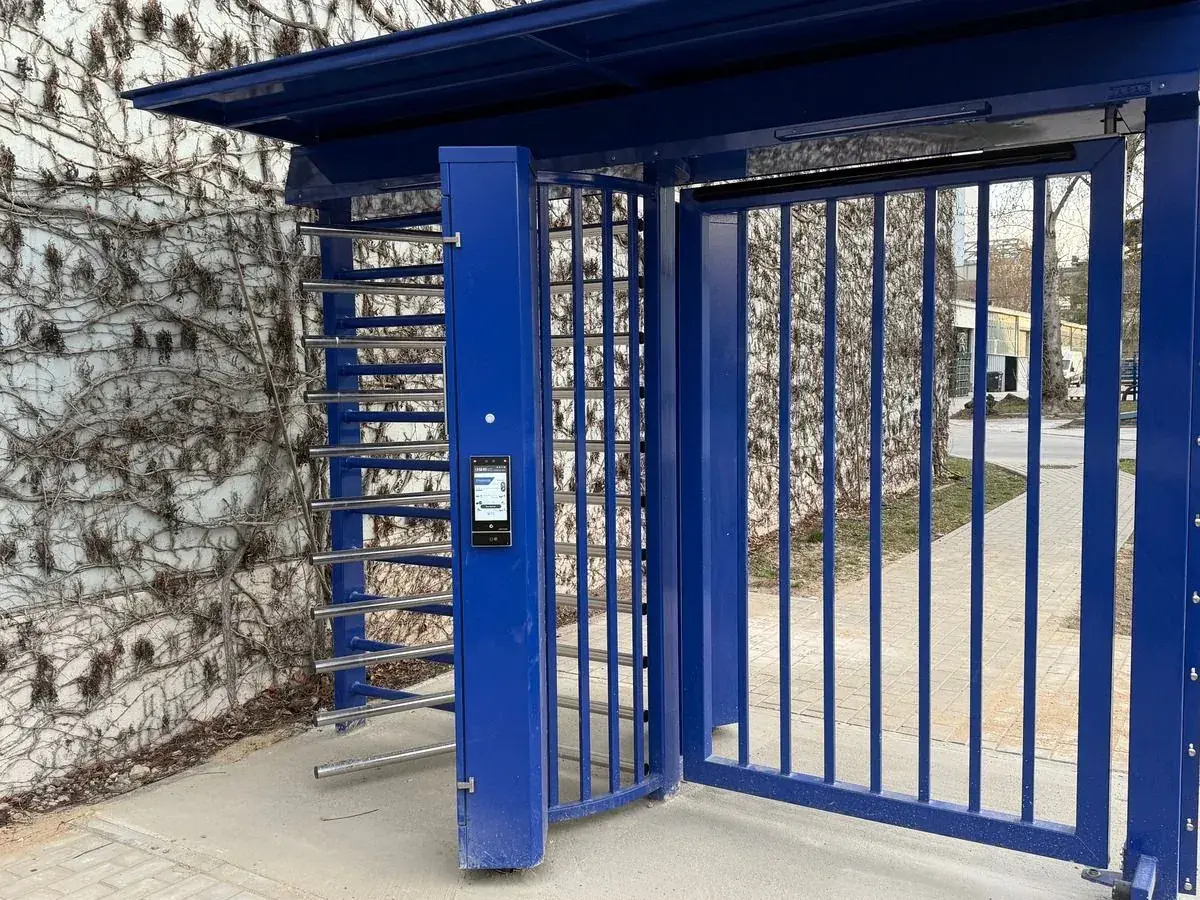
At the location CEMEX has the GRAEF Group a modern access solution with Turnstile and facial recognition implemented. Systems from Hikvision, which combines digital identification and physical access control in a single solution. Such a setup is particularly useful in industrial and manufacturing environments: access must be clearly regulated, people flows controlled, and security requirements reliably implemented.
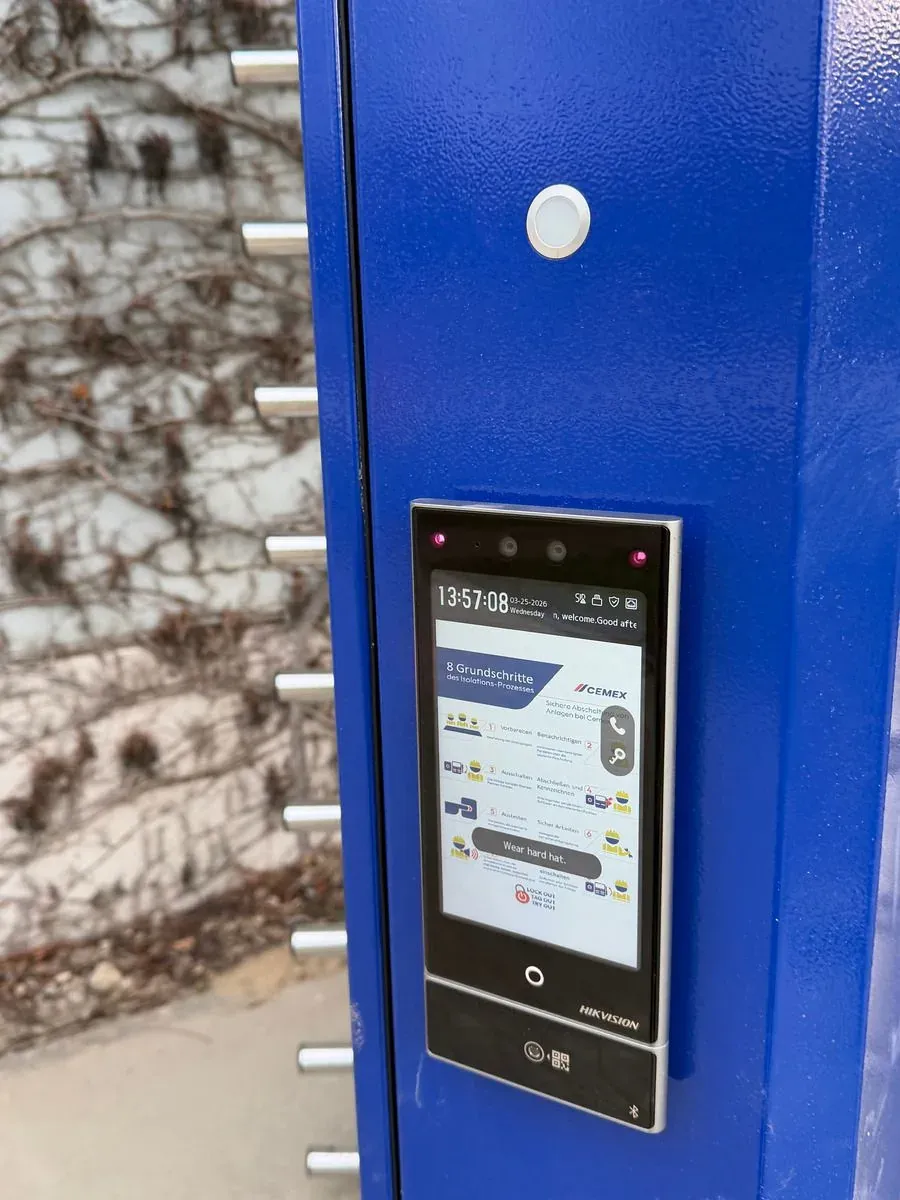
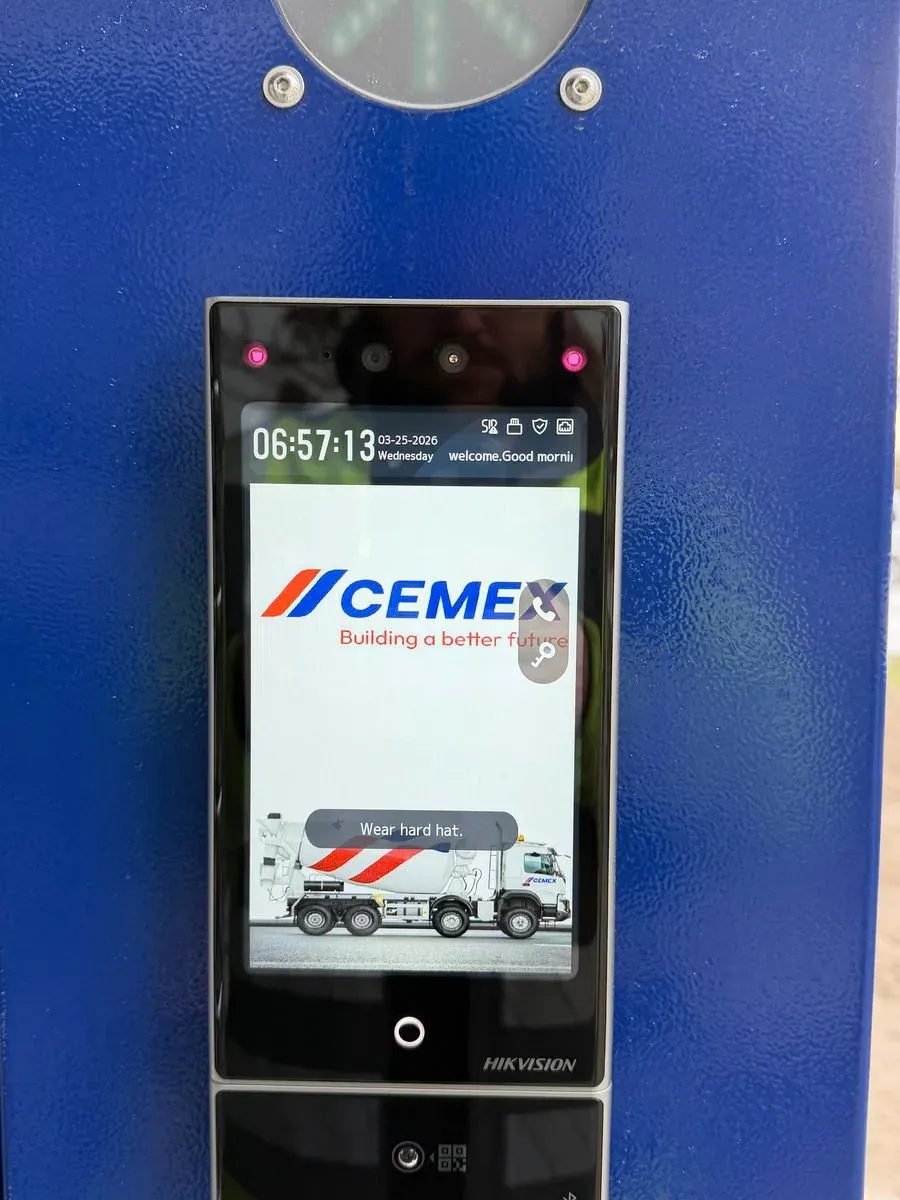
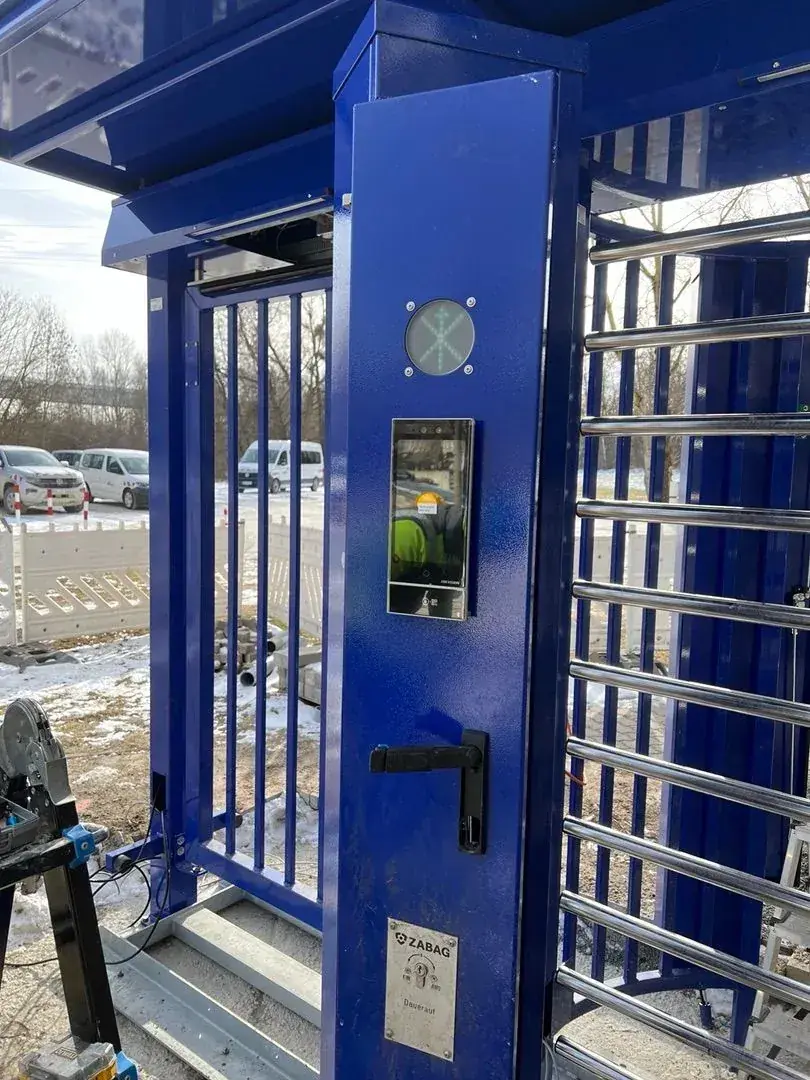
The attached images clearly show how the solution was integrated into the object. What is visible is a massive, fully-heightened Hub station in a robust access structure as well as a Hikvision Terminal with display, camera unit and identification technology. The terminal will CEMEX-Branding displayed; additionally, a safety-related warning function is integrated – in this case the warning „Wear hard hat“. This makes it clear that the system not only serves to authorize access, but can also be integrated into operational safety procedures.
Why turnstiles with facial recognition are useful in industrial settings
A hub creates a clear physical separation at first: access is only possible through a defined point. In conjunction with facial recognition, this creates a system that checks identity and only then grants access. This has several advantages:
Controlled flow of people
Unlike open passages or simple doors, access is restricted to a single, clearly defined passage. This is particularly useful in factory entrances, where employees, external companies, or visitors should be guided specifically.
Contactless identification
Face recognition enables quick and convenient access without the need to actively hold identification documents or enter PIN codes. This is particularly useful in work environments where people wear gloves or carry materials.
Linkage with safety requirements
The photos show that the Hikvision terminal not only serves for identification but can also display access information. This allows access to be linked to operational requirements – such as safety instructions, PSA information or object-specific information.
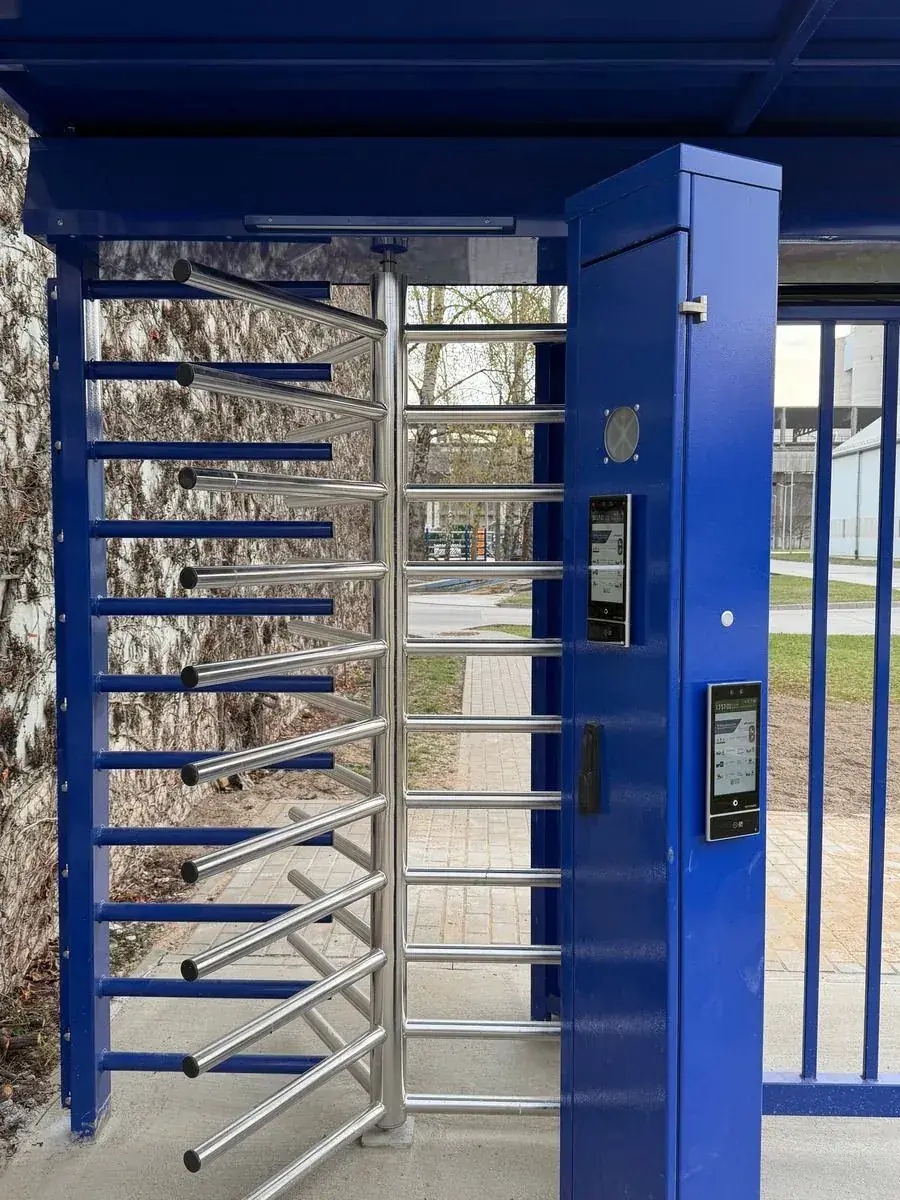
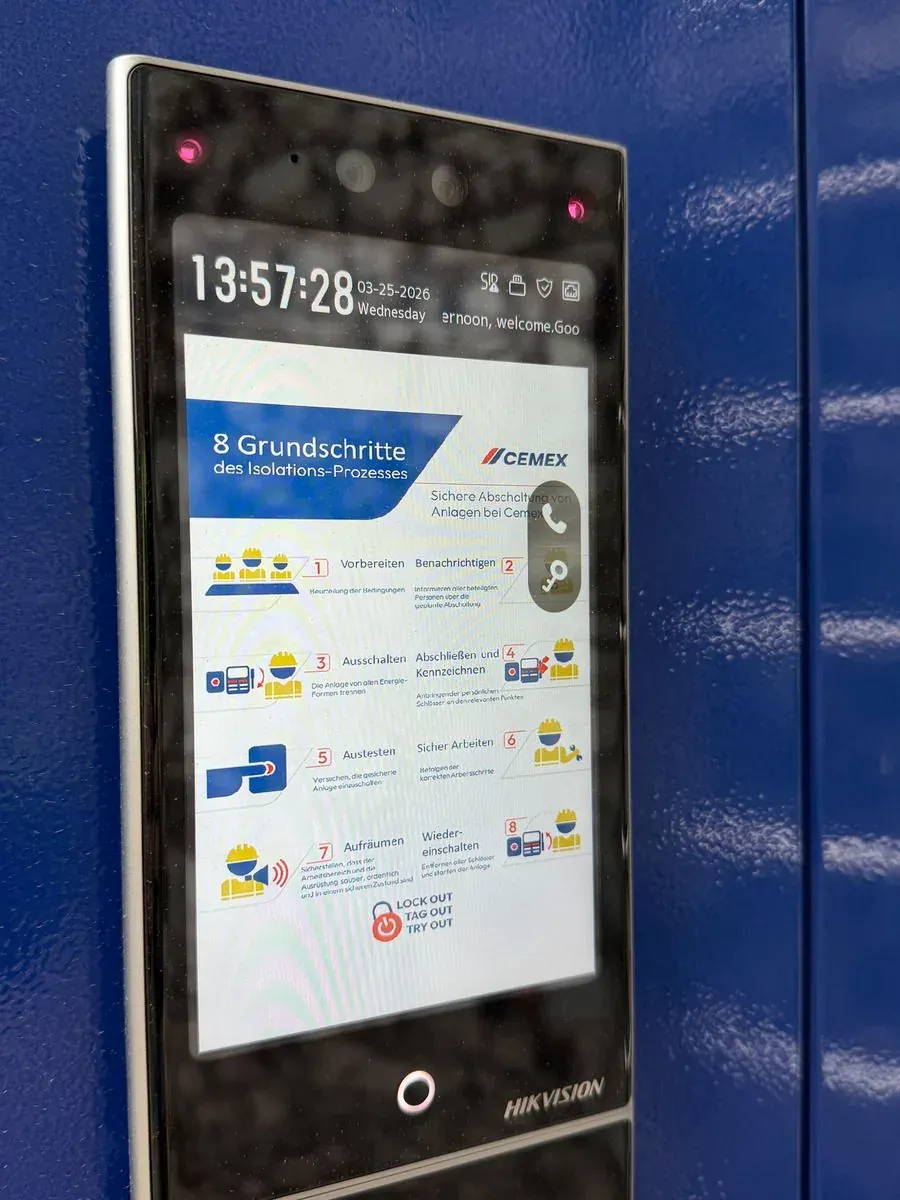
Hikvision technology in use: Terminal and access point as a complete system
The installed solution at CEMEX consists not only of a single reader, but of a well-thought-out access point. That Hikvision facial recognition terminal is integrated directly into the access system and forms the interface between the user and the access system.
Visible information directly at the terminal
The display displays status information, corporate branding, and access instructions. This makes the access point not only functional but also easy to understand for users. In industrial facilities, this is an important aspect, as the access process must be quickly perceivable and unambiguous.
Robust integration into the turn-around system
The large, fully-enclosed turnstile pictured is designed for controlled access in outdoor areas or semi-open entrance areas. Such systems are particularly useful where high mechanical robustness is required and uncontrolled passage is to be prevented.
Our performance at CEMEX: Installation, integration and commissioning
The GRAEF Group has implemented this access system at the property CEMEX This is handled professionally. This includes not only the visible components, but also all the steps behind the scenes that are necessary for stable operation.
Assembly of the turnstile and access control system
A fully-fledged terminal places special requirements on its installation, orientation, and structural integration. Additionally, the terminal must be mounted in such a way that safe and comfortable use is possible.
Setting up facial recognition
For facial recognition to function reliably in everyday life, proper configuration, user management, and tailored recognition parameters are crucial. The goal is an access system that responds quickly while simultaneously integrating cleanly into the site’s security logic.
Connection between access and operational process
The system shown makes it clear that access control can be more than just permission today. Indications of personal protective equipment or object-specific rules can be directly displayed in the access process. This not only controls access but also integrates it into the operational daily routine of the site.
CEMEX: Security at the access point further expanded
With the installation of Hub and Hikvision facial recognition Access at the CEMEX site has been specifically modernized. The combination of mechanical locking, contactless identification, and clear user guidance creates a single point of entry that combines security, traceability, and ease of use.
The GRAEF Group supports companies in such projects from planning through to implementation Assembly and installation up to Installation and commissioning. Especially in industrial facilities, it is crucial that access control solutions not only function technically but also integrate meaningfully into the actual operational process. This is exactly what was implemented in this project.

Contributions from the practical experience of our installers, project managers and software developers. The group is led by founder Peter Gräf, a DGuSV-certified expert in security technology.
Our team

 German
 English