
Glasfaser im Haus verlegen – Schritt für Schritt zum schnellen Internet
Glasfaser im Haus verlegen – Schritt für Schritt zum schnellen Internet
Die Verlegung von Glasfaser im Haus ist ein entscheidender Schritt zur Verbesserung der Internetgeschwindigkeit und -qualität. Glasfaser bietet eine höhere Bandbreite und schnellere Datenübertragungsraten als herkömmliche Kupferkabel, was sie zur idealen Lösung für Haushalte und Unternehmen macht, die eine zuverlässige und leistungsstarke Internetverbindung benötigen.
Hinweis zu AI-generierten Inhalten: Die Inhalte dieses Blogs werden mithilfe fortschrittlicher künstlicher Intelligenz erstellt. Obwohl wir uns bemühen, Ihnen stets präzise und nützliche Informationen zu bieten, kann es vorkommen, dass Fragen oder Unklarheiten bestehen bleiben. In solchen Fällen stehen Ihnen unsere Experten gerne zur Verfügung. Zögern Sie nicht, uns über die unten aufgeführten Kontaktmöglichkeiten zu erreichen. Unsere Spezialisten sind wahre Kenner ihres Fachs und helfen Ihnen gerne weiter!

Kontaktmöglichkeiten:

Feedback-Formular: Formular Ausfüllen
E-Mail: vertrieb@graef-gruppe.de
Telefon: +493069202294
Wir freuen uns auf Ihre Rückfragen und darauf, Ihnen bei jedem Anliegen behilflich zu sein!
Warum Glasfaser?
Glasfaserkabel übertragen Daten in Form von Lichtsignalen, was eine schnellere und effizientere Datenübertragung ermöglicht. Sie sind auch weniger anfällig für Störungen und bieten eine stabilere Verbindung. Laut einer Studie von Deloitte werden bis 2025 weltweit rund 1 Milliarde Haushalte über Glasfaseranschlüsse verfügen.
Schritt-für-Schritt-Anleitung zur Verlegung von Glasfaser im Haus
Die Verlegung von Glasfaser im Haus kann eine Herausforderung sein, aber mit der richtigen Planung und Vorbereitung kann der Prozess reibungslos ablaufen. Hier sind die Schritte, die Sie befolgen sollten:
- Planung: Bevor Sie mit der Verlegung der Glasfaser beginnen, sollten Sie einen genauen Plan erstellen. Dies sollte die Position der Glasfaserbuchse, den Verlauf der Kabel und die Position der Geräte beinhalten.
- Installation der Glasfaserbuchse: Die Glasfaserbuchse ist der Punkt, an dem das Glasfaserkabel in Ihr Haus eintritt. Sie sollte an einem leicht zugänglichen Ort installiert werden.
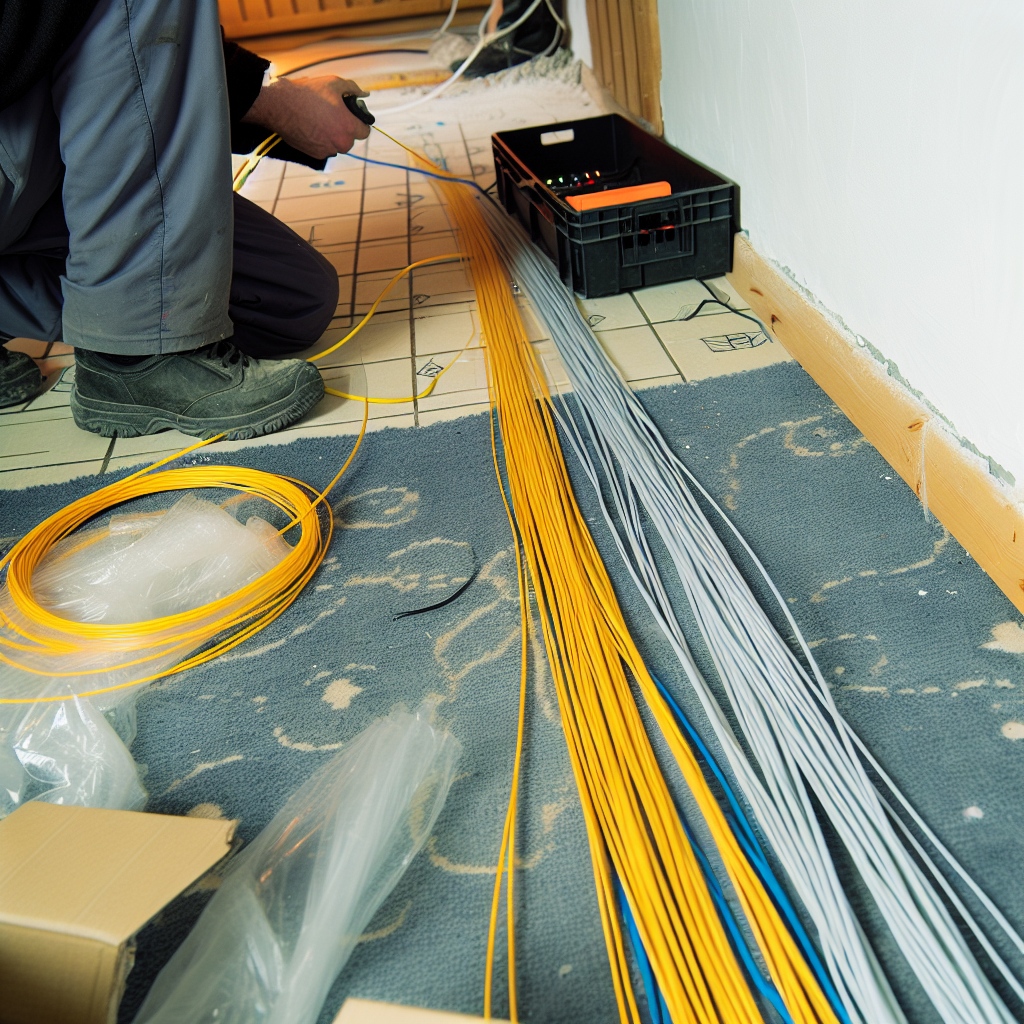
- Verlegung der Kabel: Die Kabel sollten entlang der Wände und unter dem Boden verlegt werden, um Stolperfallen zu vermeiden. Sie sollten auch darauf achten, die Kabel nicht zu knicken oder zu quetschen, da dies die Signalqualität beeinträchtigen kann.
- Anschluss der Geräte: Sobald die Kabel verlegt sind, können Sie Ihre Geräte anschließen. Dies kann Computer, Fernseher oder andere Geräte sein, die eine Internetverbindung benötigen.
Tipps für eine erfolgreiche Installation
Die Verlegung von Glasfaser im Haus kann komplex sein, aber mit einigen Tipps können Sie den Prozess erleichtern:
- Professionelle Hilfe in Anspruch nehmen: Wenn Sie sich nicht sicher sind, wie Sie die Glasfaser verlegen sollen, kann es hilfreich sein, einen Fachmann zu beauftragen. Sie haben die Erfahrung und das Wissen, um die Installation effizient und korrekt durchzuführen.
- Verwendung von Qualitätsmaterialien: Die Verwendung von hochwertigen Kabeln und Anschlüssen kann die Leistung und Zuverlässigkeit Ihrer Internetverbindung verbessern.
- Regelmäßige Wartung: Wie bei jeder Technologie ist es wichtig, Ihre Glasfaserinstallation regelmäßig zu warten. Dies kann die Überprüfung der Kabel auf Beschädigungen und die Reinigung der Anschlüsse beinhalten.
Die Verlegung von Glasfaser im Haus ist ein wichtiger Schritt zur Verbesserung Ihrer Internetverbindung. Mit der richtigen Planung und Vorbereitung kann der Prozess reibungslos und effizient ablaufen. Denken Sie daran, professionelle Hilfe in Anspruch zu nehmen, wenn Sie sich unsicher sind, und verwenden Sie immer Qualitätsmaterialien, um die bestmögliche Leistung zu erzielen.
Wie plane ich die Verlegung von Glasfaser in meinem Haus?
Beginnen Sie mit einer detaillierten Planung, die die Position der Glasfaserbuchse, den Verlauf der Kabel und die Standorte der Endgeräte berücksichtigt. Eine sorgfältige Planung erleichtert die Installation und optimiert die Netzwerkleistung.
Welche Materialien benötige ich für die Glasfaserverlegung?
Sie benötigen Glasfaserkabel, Anschlussdosen, Kabelkanäle und geeignetes Werkzeug. Achten Sie darauf, dass alle Komponenten kompatibel sind und den aktuellen Standards entsprechen.
Wie verlege ich die Glasfaserkabel korrekt?
Verlegen Sie die Kabel entlang der geplanten Routen, vermeiden Sie enge Biegungen und schützen Sie die Kabel mit Kabelkanälen. Achten Sie darauf, die Kabel nicht zu knicken oder zu beschädigen.
Wie schließe ich die Glasfaserkabel an die Anschlussdosen an?
Nachdem die Kabel verlegt sind, verbinden Sie sie mit den Anschlussdosen, indem Sie die Fasern vorsichtig einführen und sichern. Überprüfen Sie die Verbindungen auf festen Sitz und korrekte Ausrichtung.